In-app help center
Product: RingCentral app (Enterprise B2B SaaS)
Platform: Desktop / Mobile
Project context and goals
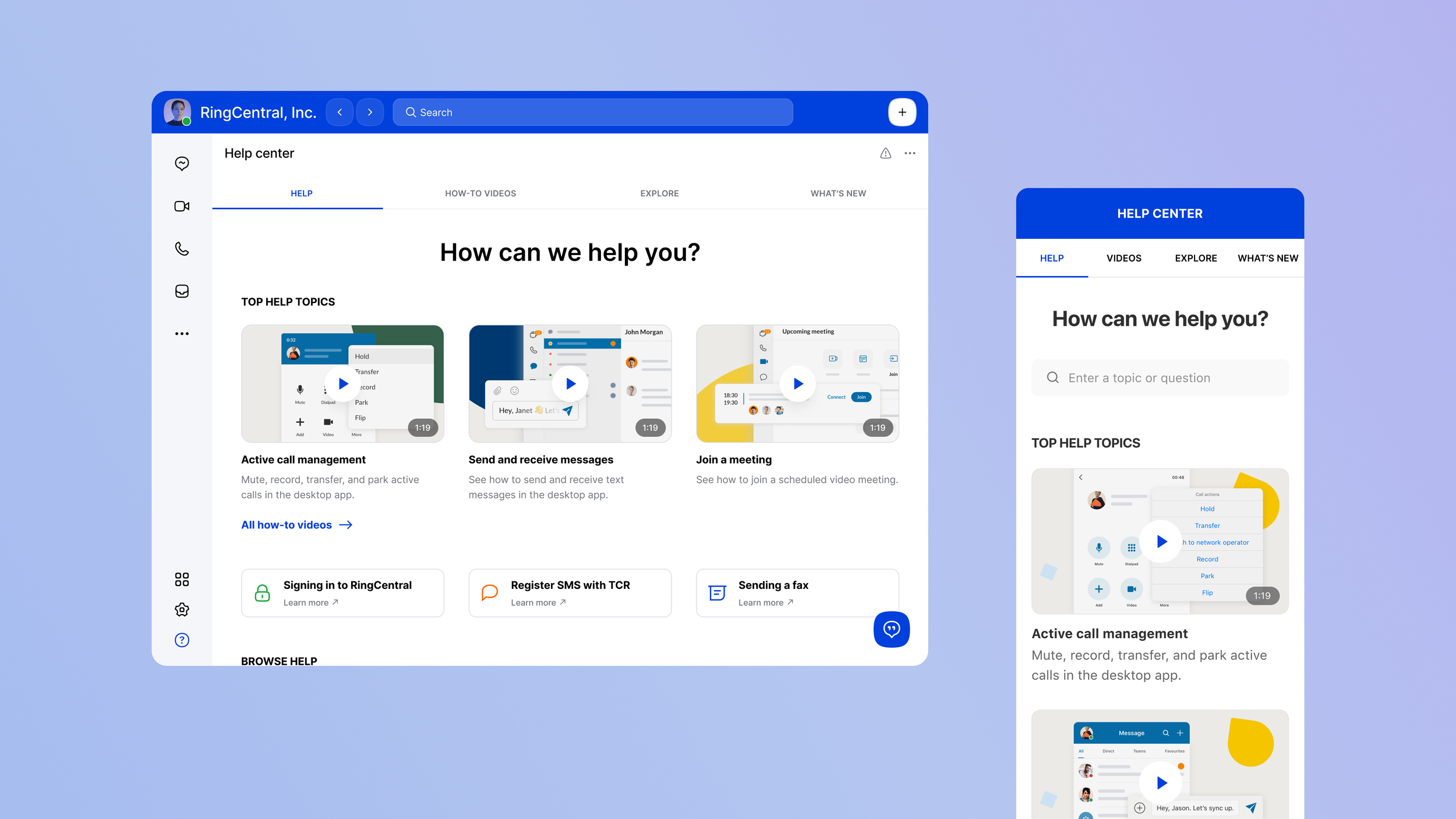
I inherited this project in an unfinished state and continued its development in collaboration with the content team and product stakeholders. This project focused on the in-app help center, embedded directly into the RingCentral application.
Design goals
The help center needed to:
Reduce support call volume
Improve self-service education
Help users quickly find answers to common problems
Highlight the most relevant and high-value content
Please note: the screens shown highlight the core pages, not the full end-to-end flow.
My role
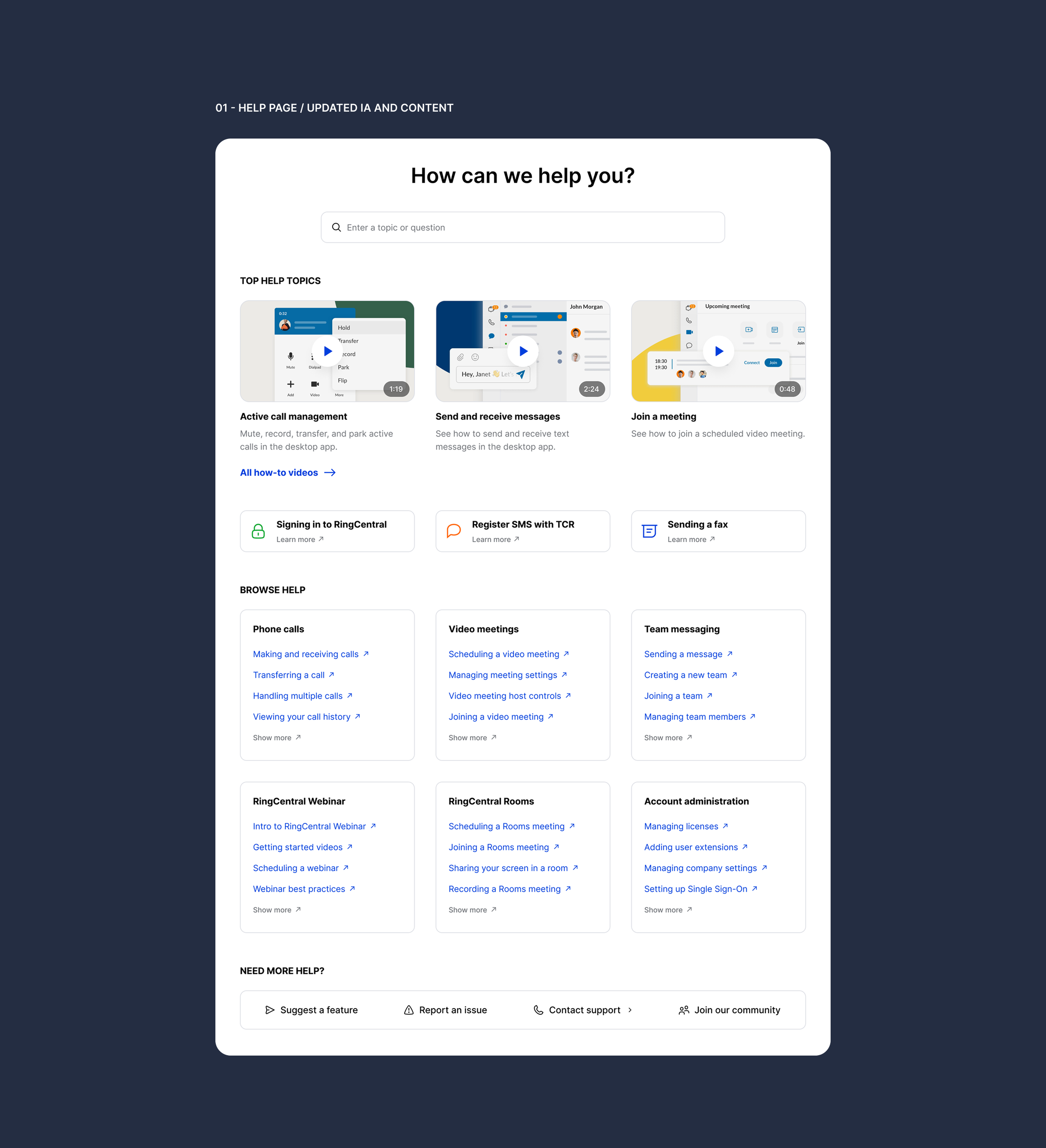
I was responsible for improving the information architecture, refining user flows, introducing several UX enhancements (including a default search bar state with contextual shortcuts, common solutions, and trending articles), and updating the interface to align with the design system.
Additionally, I created a prototype and designed mobile layouts to ensure a responsive and scalable experience across devices.
Search experience enhancements
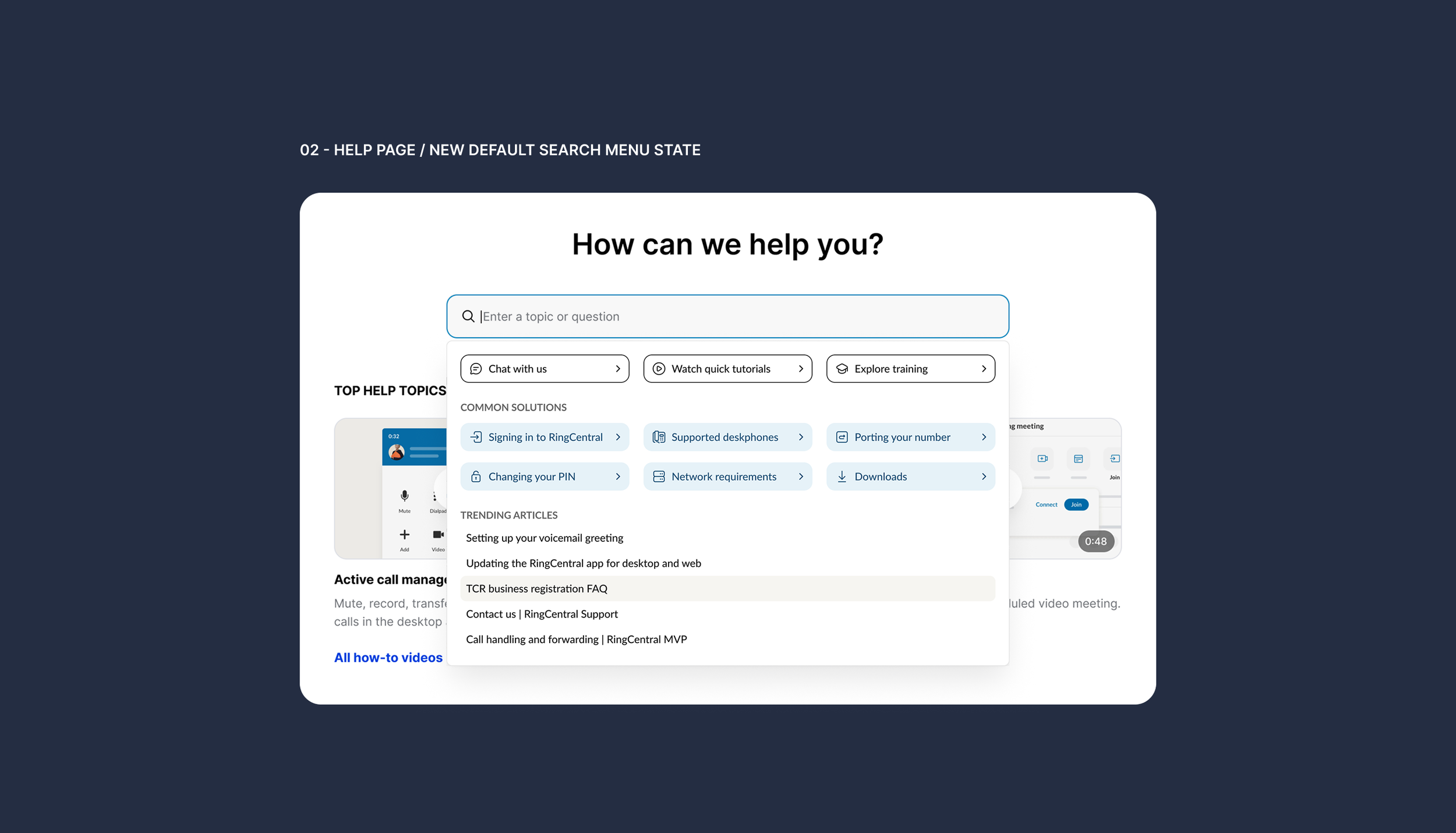
When the search bar is focused, users now see:
Shortcut buttons to common actions
Common solutions based on frequent issues
Trending articles derived from usage data
This allows users to get value even before typing a query, reducing friction and guesswork.
Approach
Together with the content team, we analyzed existing data sources, including:
Top call drivers
Types of support requests
Most common search queries
Most viewed articles and videos
These insights were used to prioritize content and structure. The goal was to reflect real user needs, not assumptions.
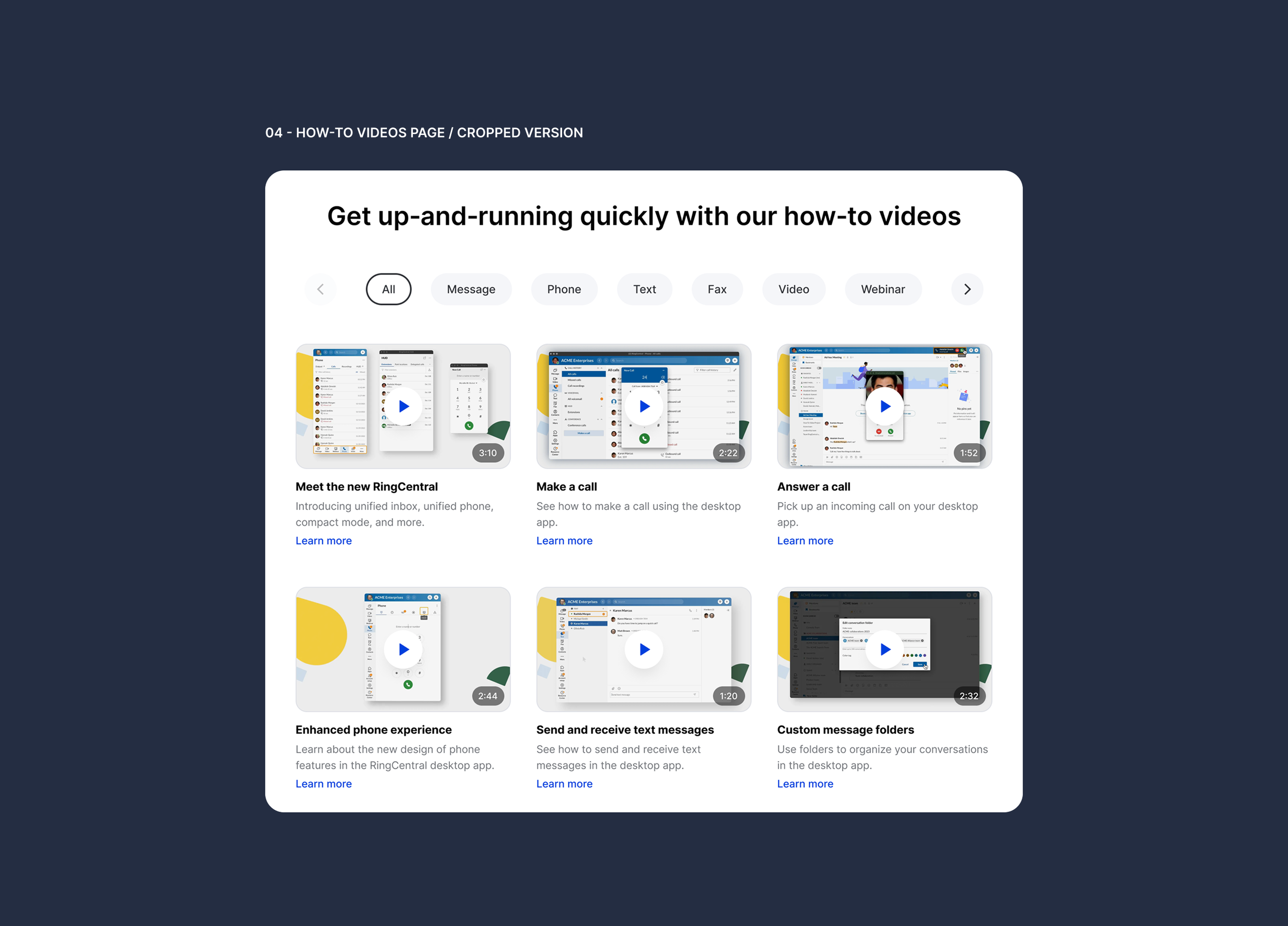
Information architecture improvements
Based on the analysis, I redesigned the help center structure with a focus on:
Clear entry points
Progressive discovery
Reduced cognitive load
Key changes included:
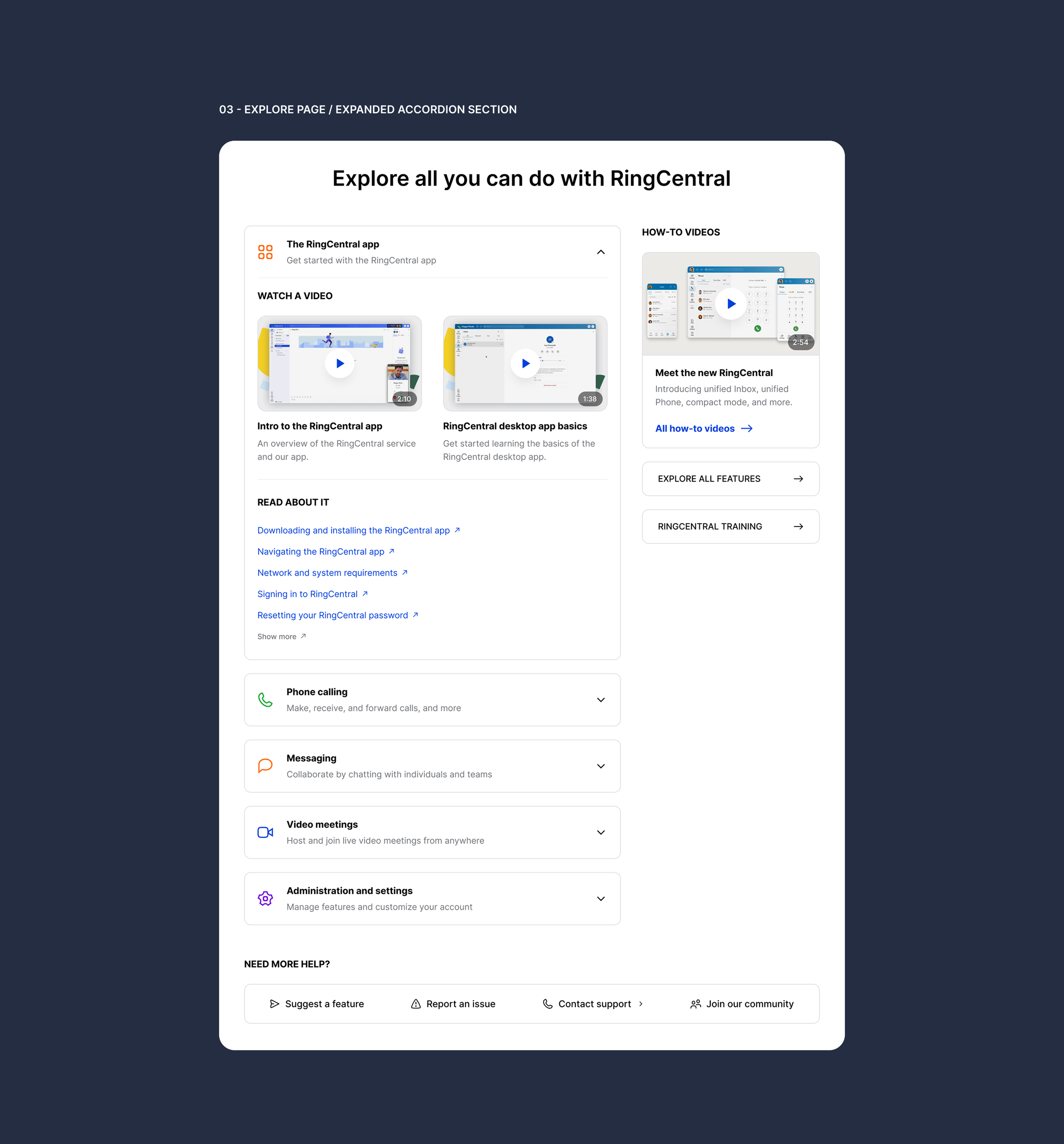
Reworked page hierarchy
Clear grouping of topics
Better separation between learning content and troubleshooting content
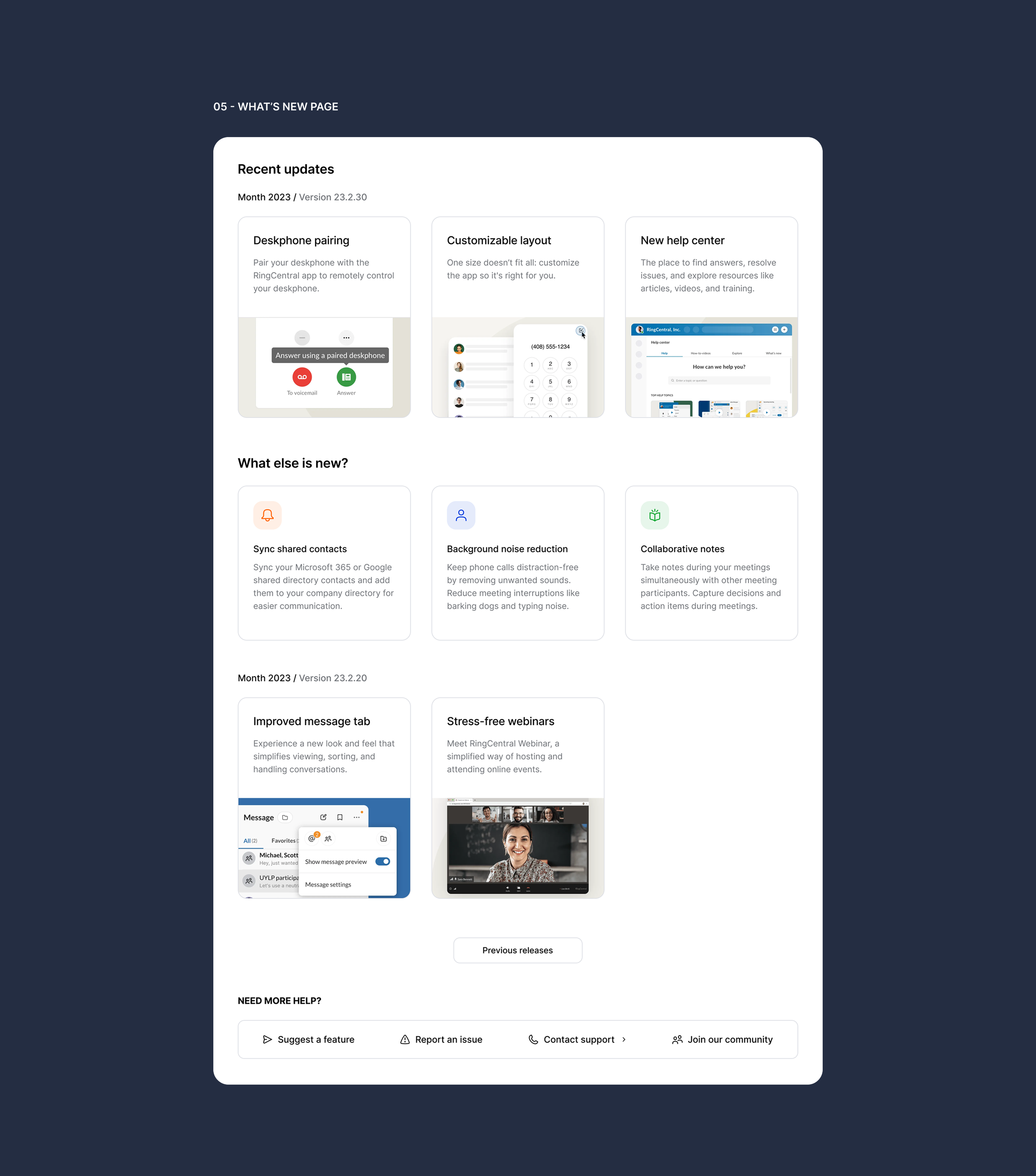
Outcome
The redesigned help center provides:
Clearer starting points for users
Faster access to common answers
Stronger self-service education
Better visibility of high-value content
It shifts the help center from a passive content library to a guided support experience. As a result, we have had a good impact on the user experience in terms of finding and solving problems as well as learning.