Collaborative notes
Product: RingCentral Video (Enterprise B2B SaaS)
Platform: Mobile (iOS & Android)
Project context and goals
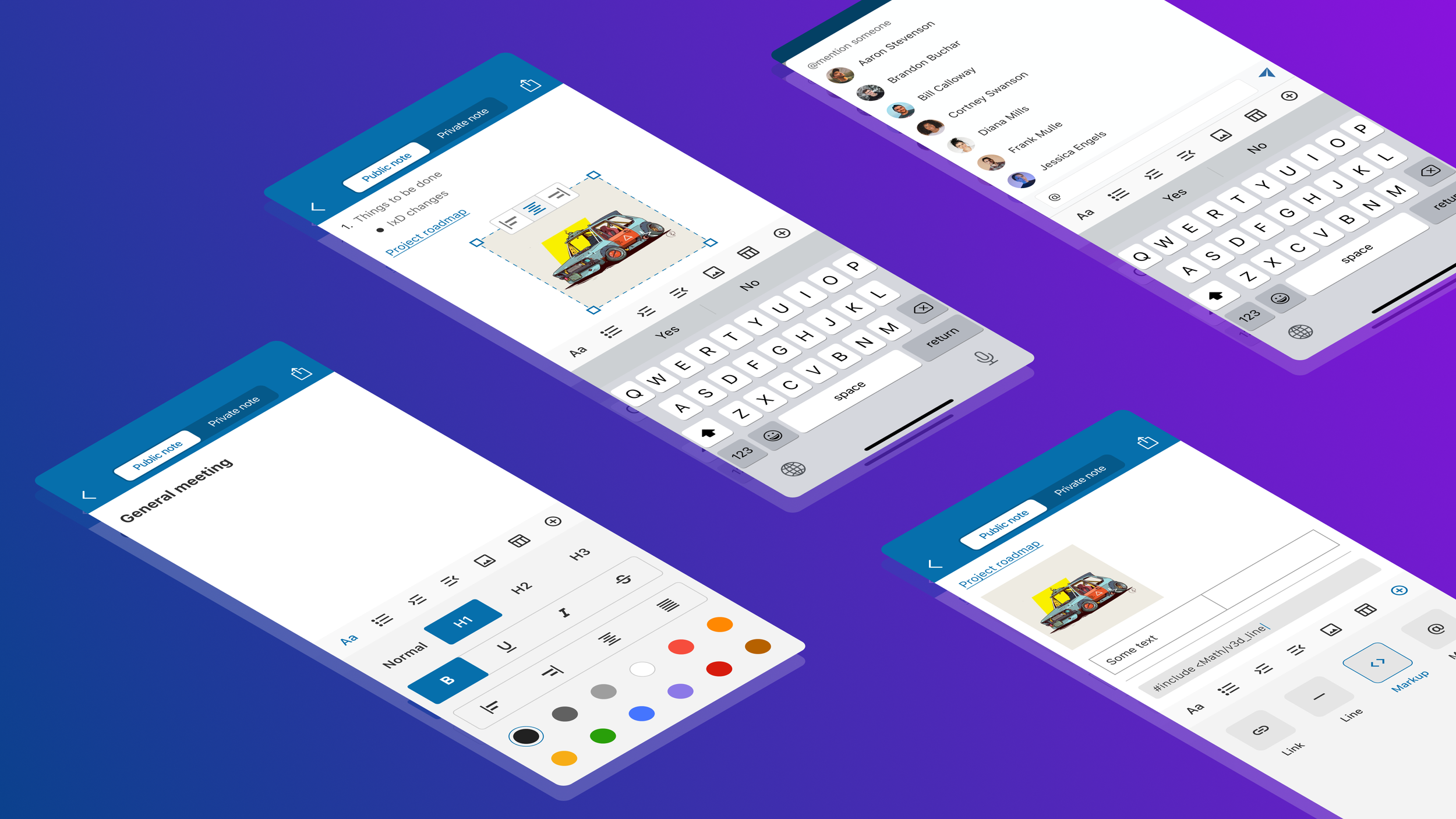
As part of expanding in-meeting collaboration capabilities, stakeholders initiated a new feature called Collaborative notes, allowing meeting participants to create, edit, and share notes in real-time during a video call.
This project represents Phase 1 of the feature, focused on defining the core UX and interaction model under evolving requirements and technical constraints.
Design goals
Design a mobile-first feature that allows users to:
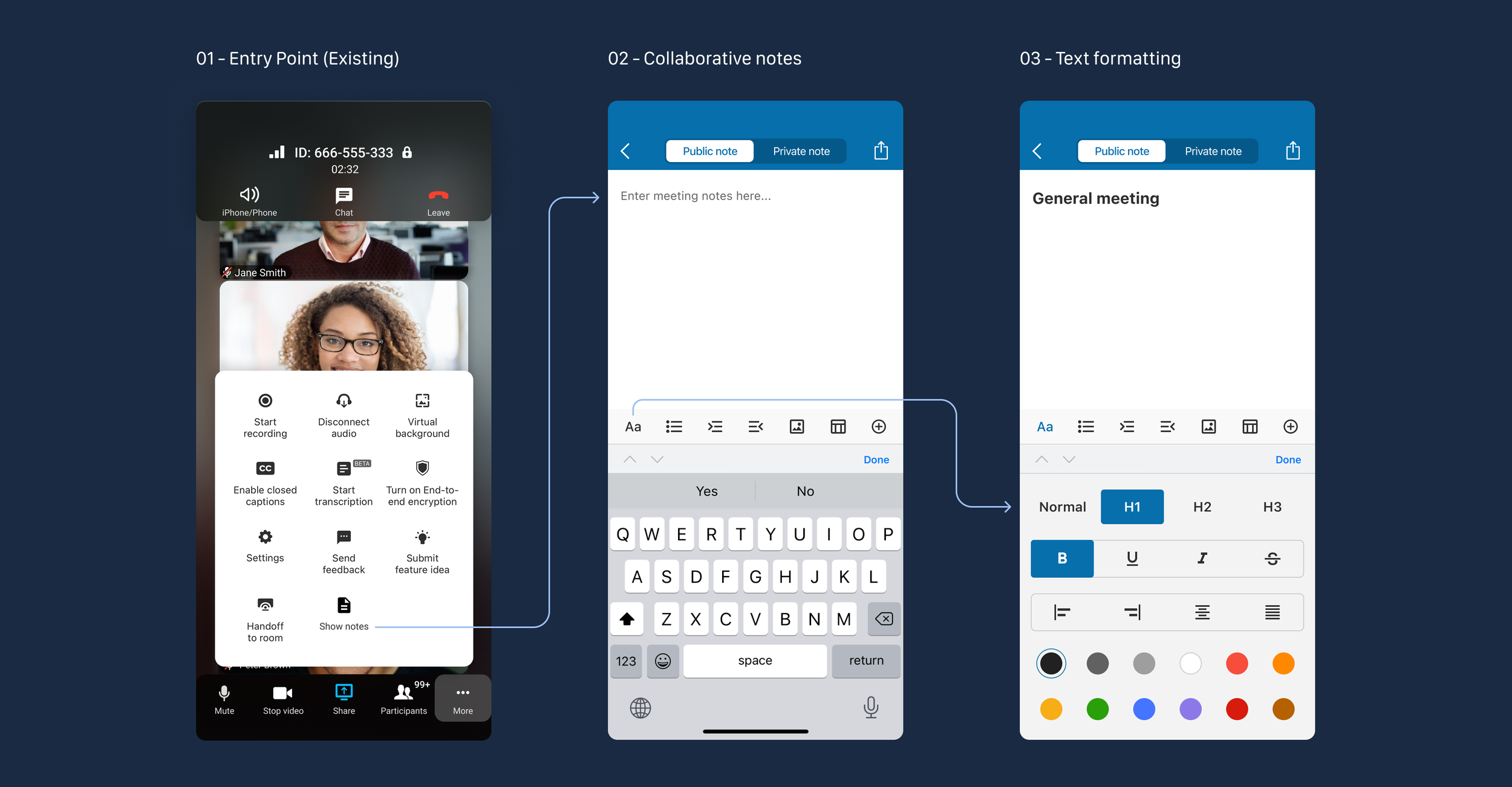
Create and edit shared notes during a meeting
Collaborate with other participants in real-time
Use familiar text-editing capabilities
Share notes after the meeting
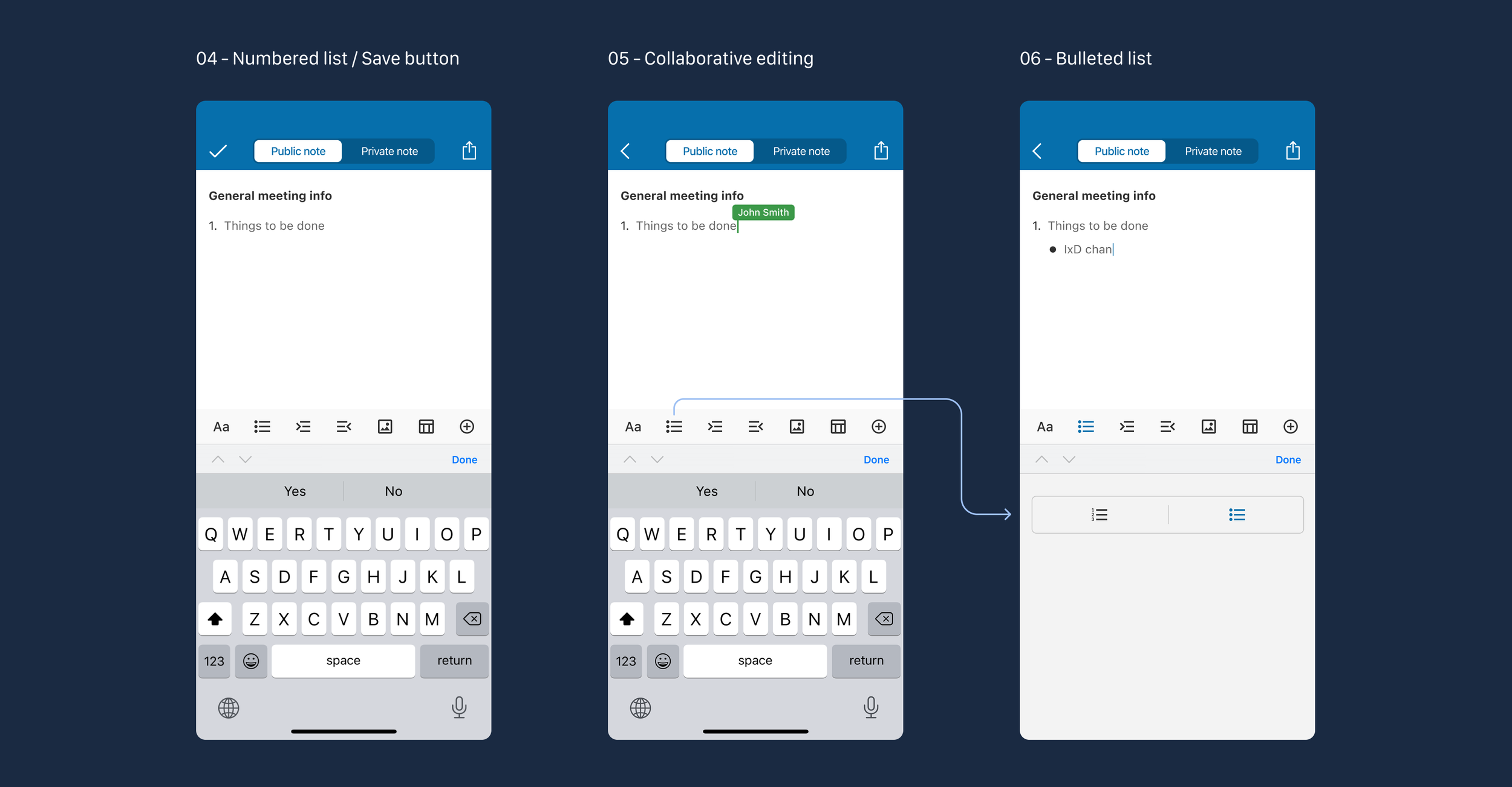
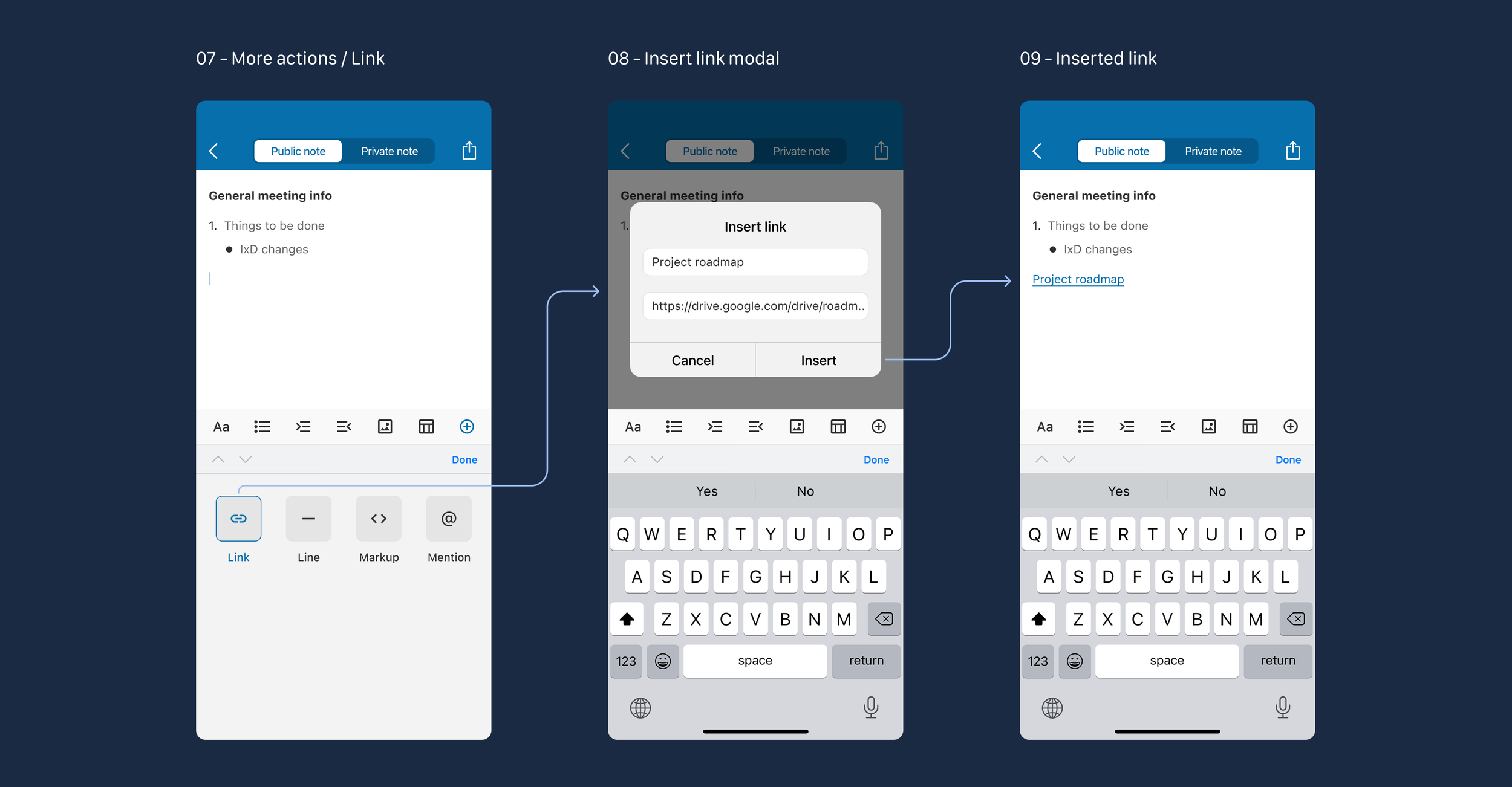
Please note: the screens shown highlight the core experience, not the full end-to-end flow.
Problem
During meetings, teams often rely on external tools to take notes, capture decisions, and share outcomes. It may lead to fragmented workflows and information loss.
An embedded collaborative note-taking feature should solve this problem.
Constraints and uncertainty
This project was executed under several constraints:
Requirements evolved during the design process
Manual saving, unscrollable toolbar
Technical limitations were still being clarified
The feature scope was intentionally limited for Phase 1
Final implementation details were not fully defined
As a result, the focus was on a clear UX structure and interaction logic, rather than exhaustive edge-case coverage.
My role
I was responsible for designing the end-to-end UX flow, defining interaction patterns, creating interactive prototypes, conducting usability testing with real users, and delivering the final UI for the feature across mobile platforms.
Key UX decisions
1. In-meeting context preservation
Collaborative notes were designed to be accessible without pulling users out of the meeting flow, reducing cognitive and contextual switching.
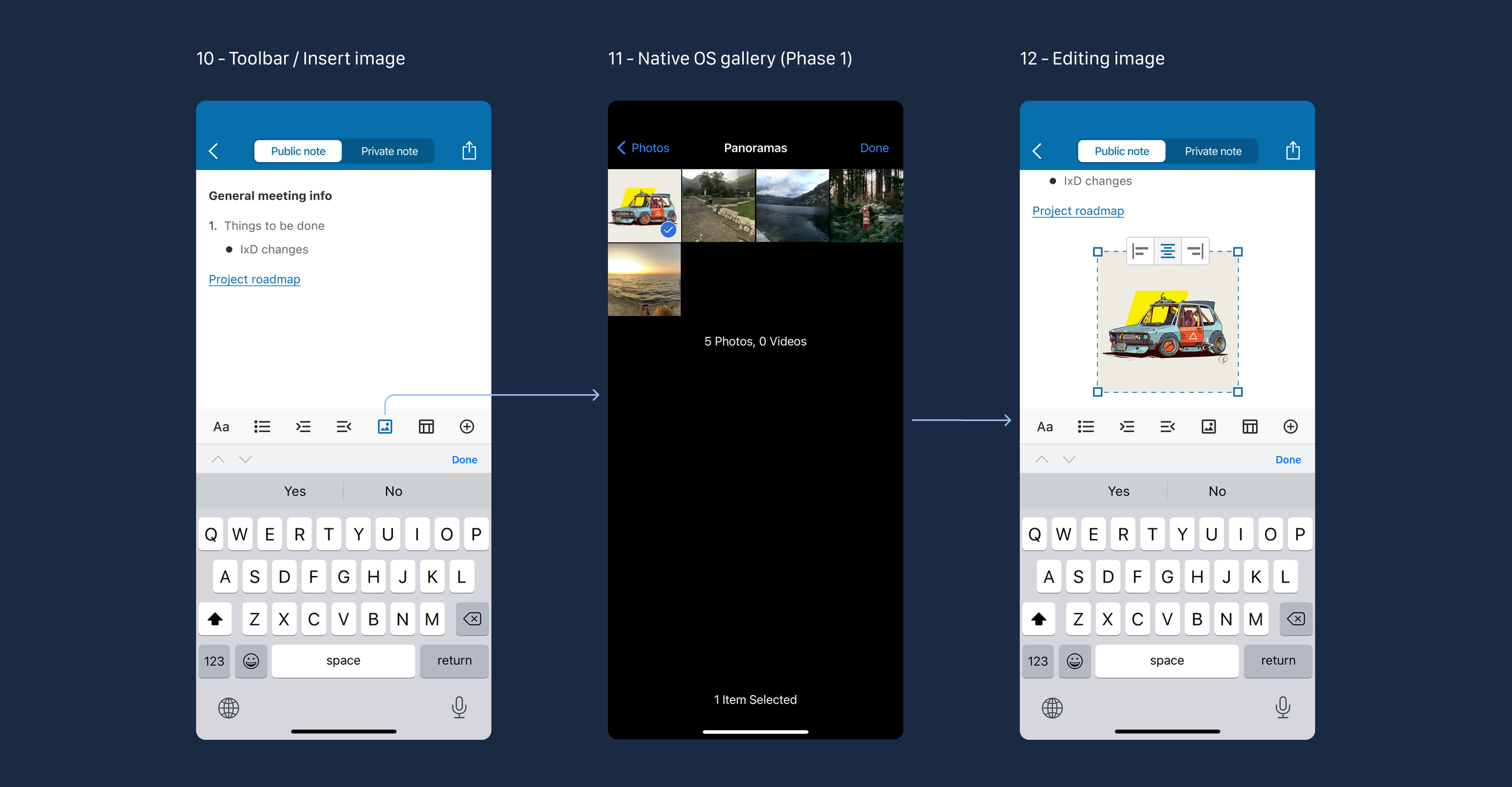
2. Progressive formatting controls
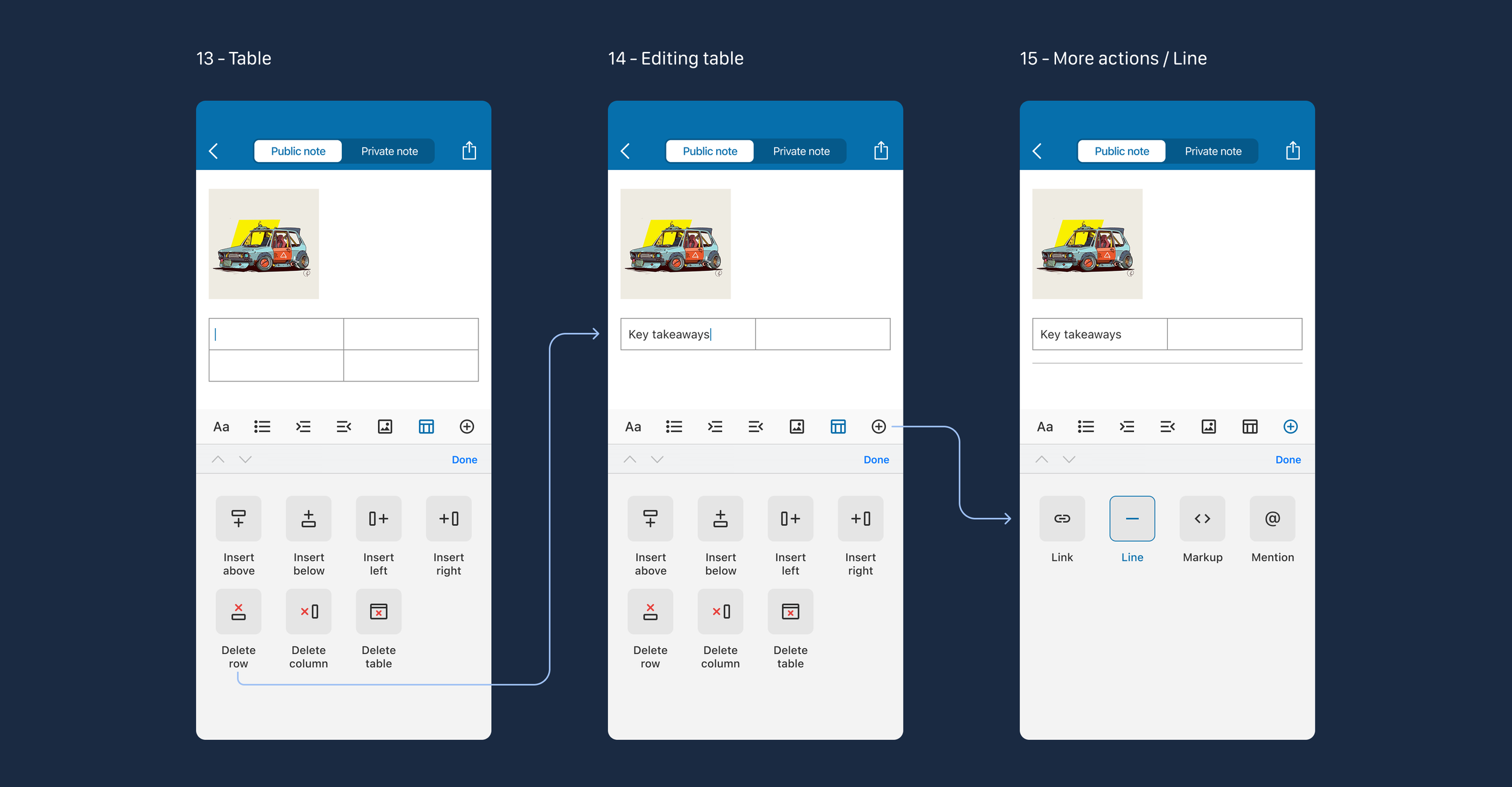
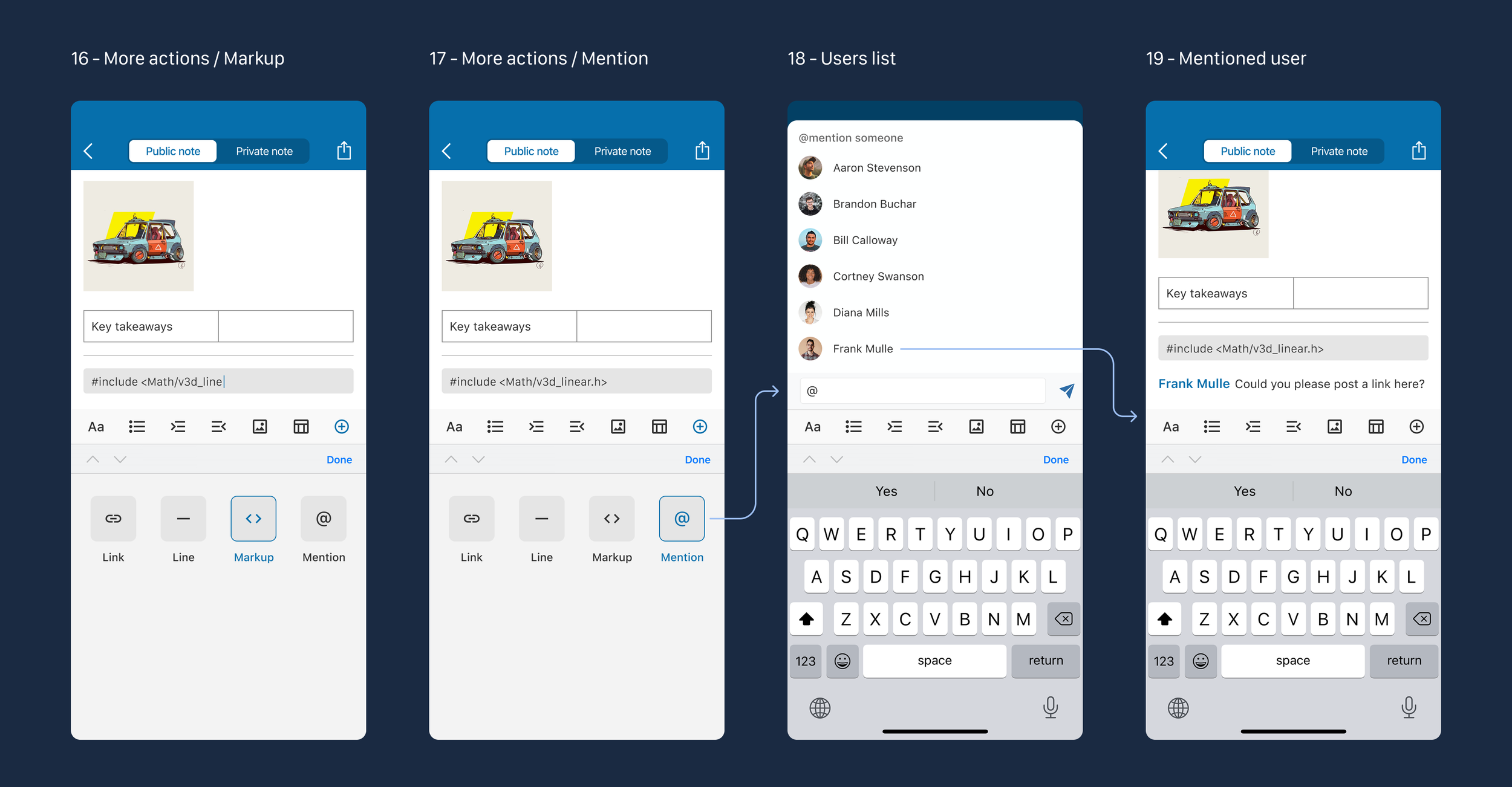
Basic text entry is always available, while advanced formatting (tables, images, links) is revealed progressively to avoid overwhelming users.
3. Mobile-first interaction
The entire experience was optimized for small screens: clear touch targets, bottom-aligned controls, and single-column layouts.
4. Shared ownership model
Notes are treated as collaborative artifacts rather than personal drafts, reinforcing team ownership and post-meeting reuse.
Prototyping and validation
After defining the flows, I created an interactive prototype and conducted informal usability validation sessions with real users.
Participants were asked scenario-based questions, for instance:
“How would you add a table?”
“How would you format the text?”
“How would you share this note with another team?”
This helped identify:
Areas where controls were unclear
Opportunities to simplify navigation
Points of confusion during editing and sharing
The feedback was used to iterate on the interaction flow.
Outcome
The outcome of this phase was:
A complete mobile UX flow for Collaborative notes
Clear interaction patterns aligned with enterprise user expectations
A shared foundation for future iterations
This work helped align stakeholders and engineering around a concrete UX direction for the feature.