Smart notes
Product: RingCentral app (Enterprise B2B SaaS)
Platform: Desktop / Mobile / Tablet
Project context and goals
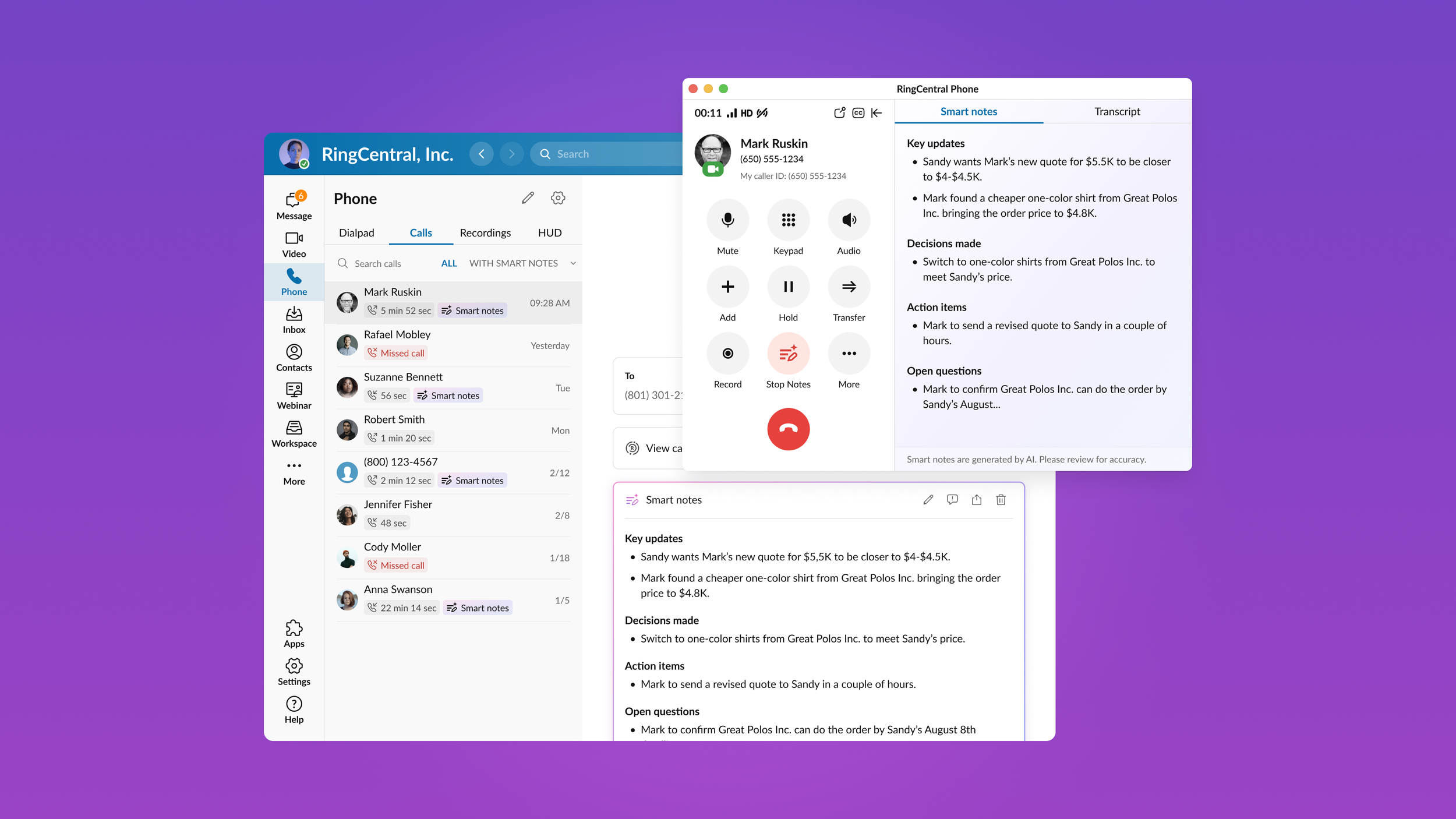
Smart Notes is an AI-powered feature that automatically generates structured call notes during phone conversations in the RingCentral application.
The goal was to help users stay focused during calls while AI captured key updates, decisions, action items, and open questions in real-time, and to make those notes accessible across the product ecosystem.
Design goals
Design an end-to-end AI-powered note generation experience that:
Works during live calls
Provides structured summaries
Allows editing and sharing
Persists beyond the call
Scales across desktop and mobile platforms
Please note: the screens shown highlight the core experience, not the full end-to-end flow.
Problem
Users often need to:
Capture important points during calls
Identify decisions and action items
Share summaries with teammates
Revisit the call context
Manual note-taking during conversations might be challenging, create cognitive overload, and lead to incomplete post-call summaries.
My role
I was responsible for defining and designing the Smart Notes experience across platforms, shaping its interaction model and contributing to the visual direction of AI-driven features within the product.
Approach
1. Defining core user jobs
The feature was structured around key user needs: capture structured summaries without manual note-taking, identify key updates, decisions, action items, and open questions clearly, access and edit notes post-call, share summaries, and revisit notes within call history.
3. Prototyping and iteration
Before moving into final visuals, I developed prototypes to validate core interaction patterns and behavioral logic. Through iterative reviews with stakeholders and engineering, we evaluated feasibility, clarified scope, and simplified the experience.
2. Ideation and interaction design (IxD)
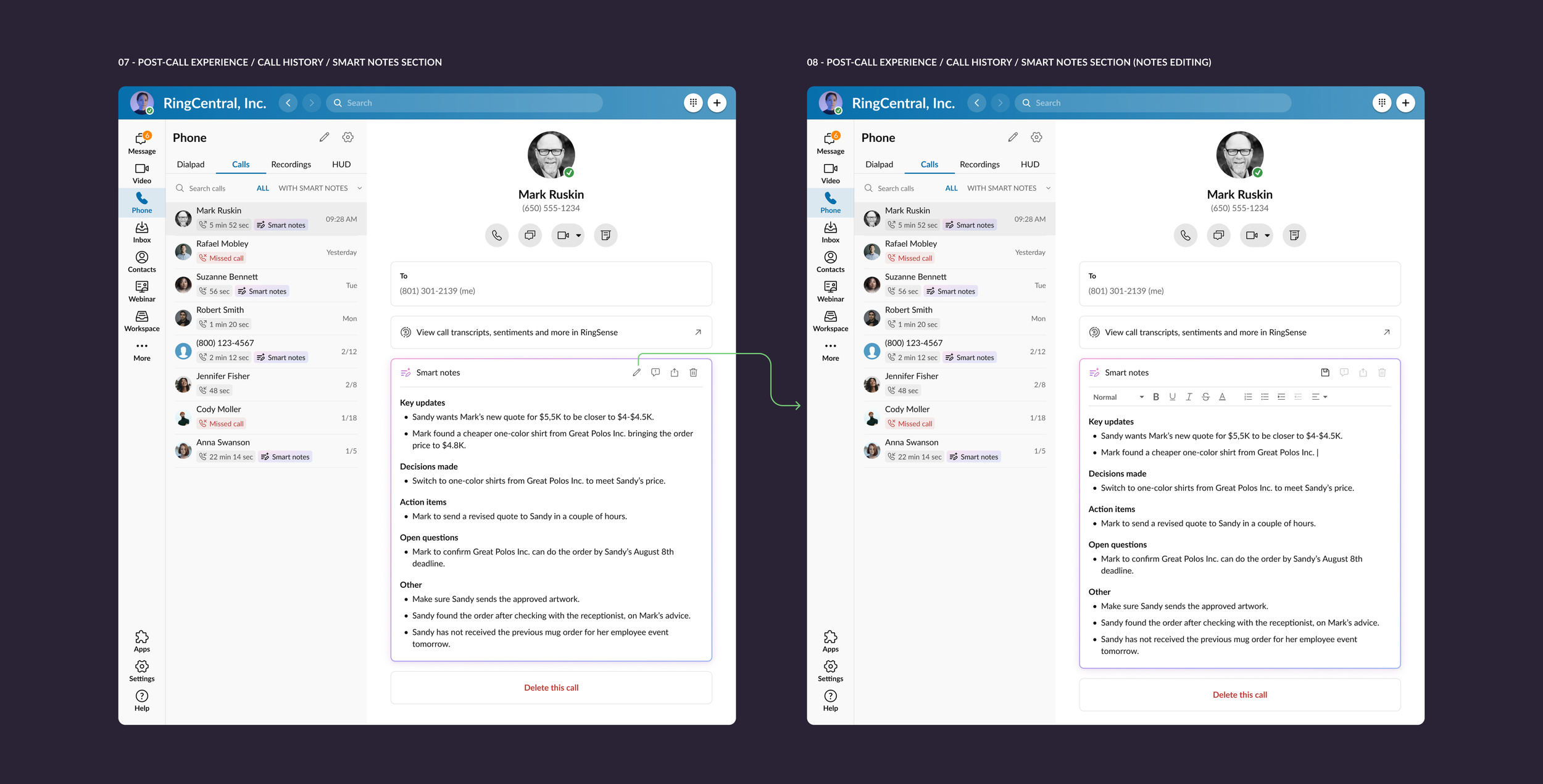
Early exploration focused on interaction behavior rather than visuals: entry points within active calls, right pane behavior during note generation, integrating call transcripts, structured categorization of AI output, post-call editing, and sharing.
4. Finalization and visual design
The final stage focused on designing complete end-to-end user flows across desktop, mobile, and tablet, applying the newly established AI visual language within the existing design system to ensure consistency and scalability.
Key UX decisions
Designing Smart Notes required balancing AI automation with a clear and controllable user experience.
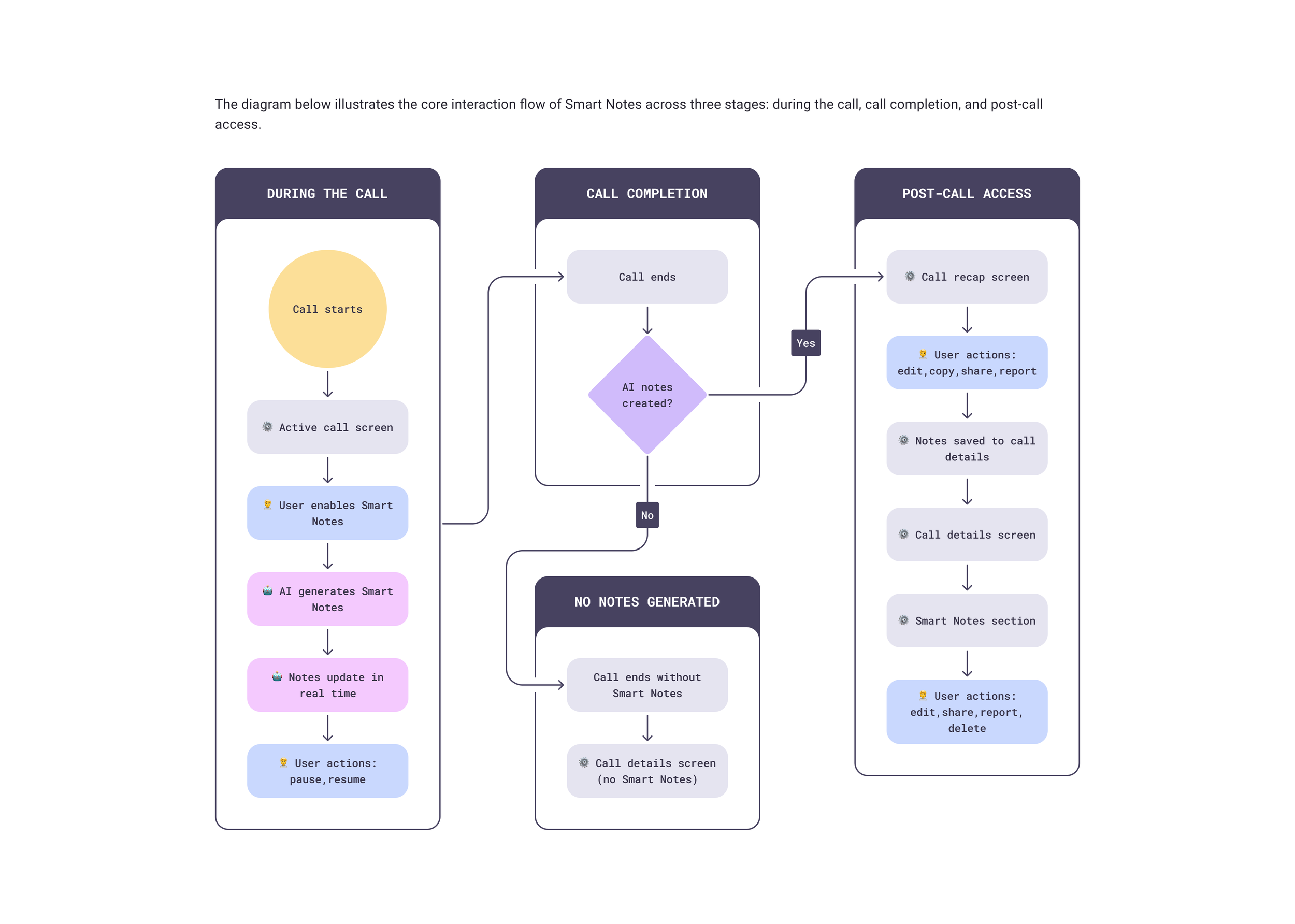
Contextual activation during calls
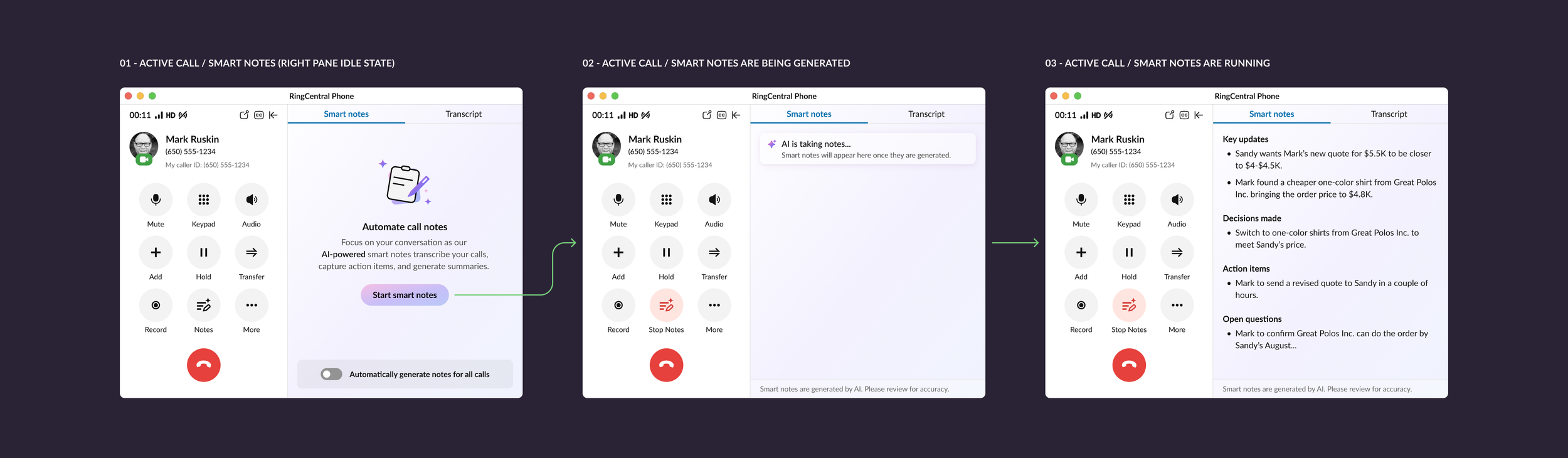
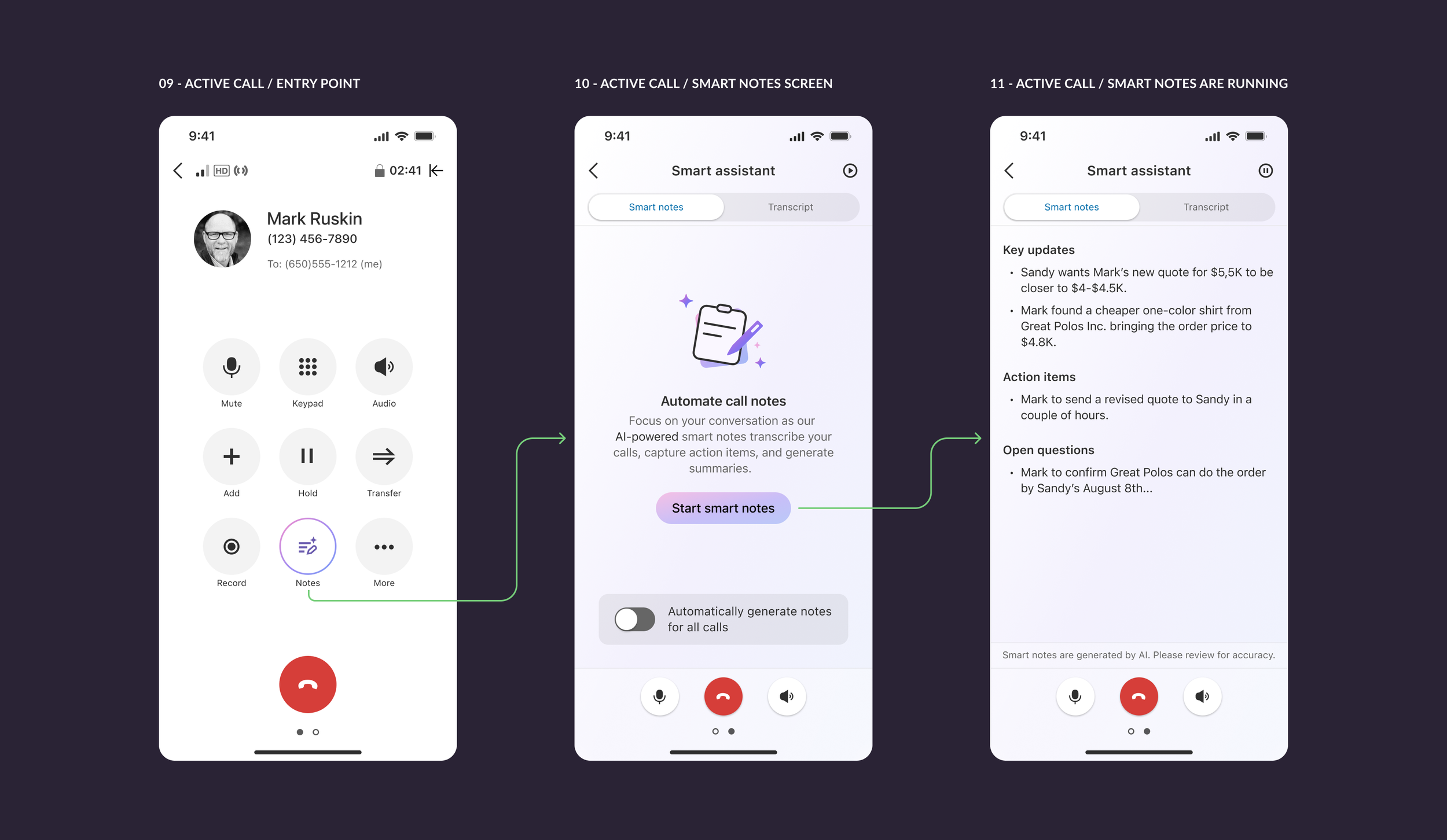
Smart Notes can be enabled directly within the active call interface, allowing AI note generation without interrupting the conversation.
Structured summaries instead of raw transcripts
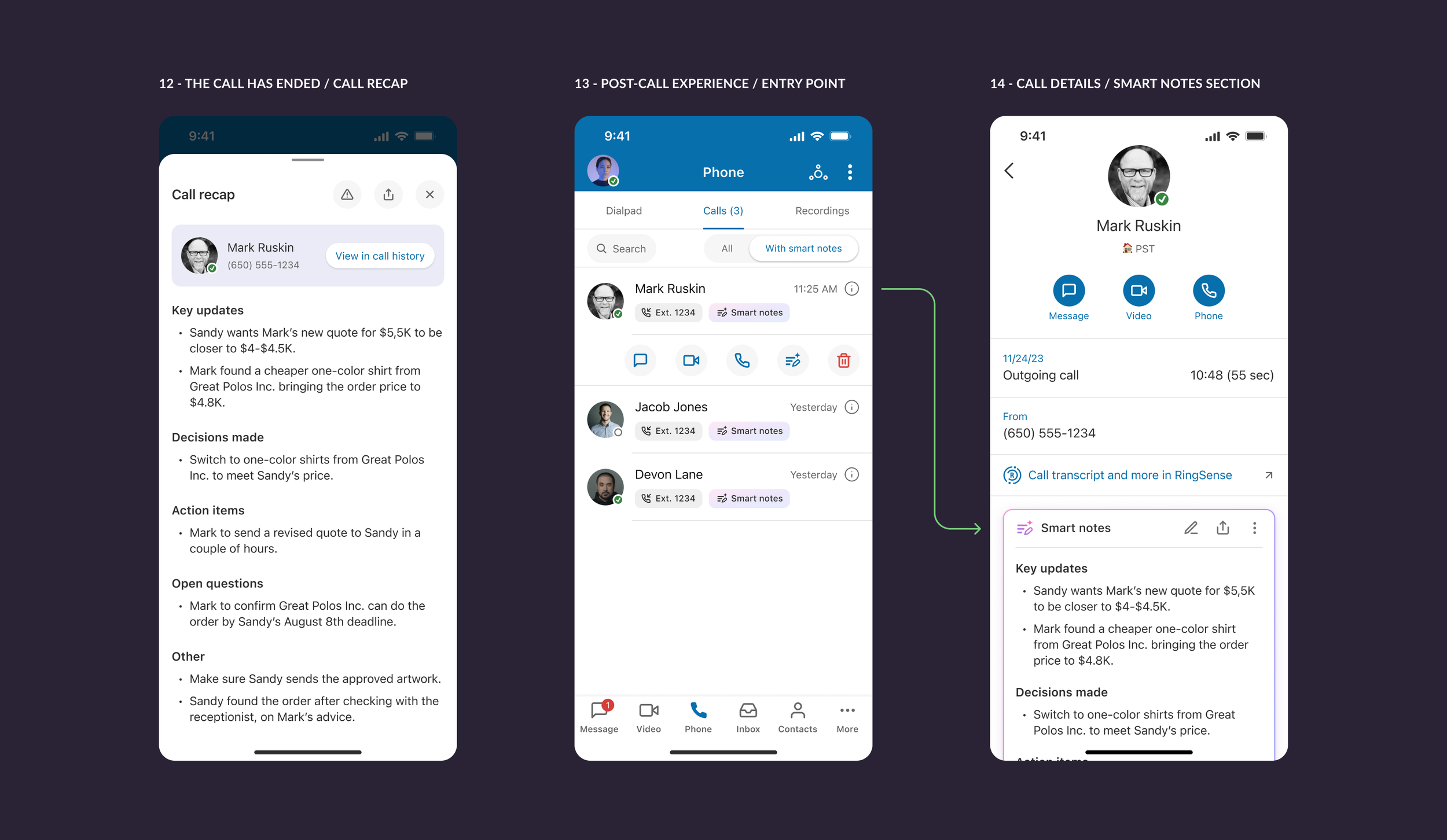
AI output is organized into categories such as key updates, decisions made, action items, and open questions, making insights easier to scan and act upon.
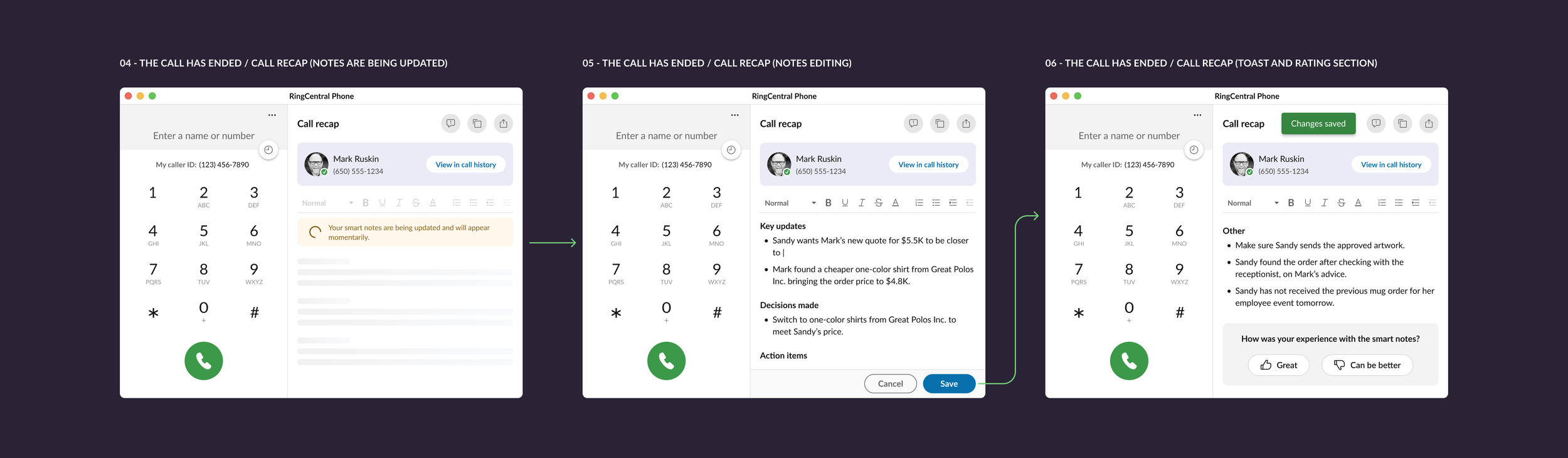
Separation of live capture and post-call interaction
During calls, Smart Notes run passively to avoid distraction. After the call, users can review, edit, and share notes through call recap and call history.
Constraints and trade-offs
A key challenge was balancing automation with user control. Early interaction models allowed real-time editing and restructuring of AI-generated notes, but this added unnecessary complexity to an already cognitively demanding context.
The final design was intentionally simplified to preserve focus on the primary workflow while maintaining post-call flexibility.
Outcome
Smart Notes introduced structured AI-assisted call summaries into the product ecosystem, establishing a new workflow for capturing and revisiting call insights.
The feature was initially rolled out internally, allowing teams to validate real-world usage patterns and improve the interaction model before general availability release.